

Create a new Workspace
By default, accounts with the Pro Package can have up to three Workspaces.
There are many reasons to opt for multiple Workspaces. For example, organizations with foreign regional subsidiaries or producing products in multiple industries.
This guide shows you how to submit a request for a new Workspace via the emnify Portal. Alternatively, you can also link existing Workspaces if you already have two or more created.
Multiple Workspaces comes with the Pro Package. Only Administrator user accounts in the main organization and the SuperAdmin can create new Workspaces.
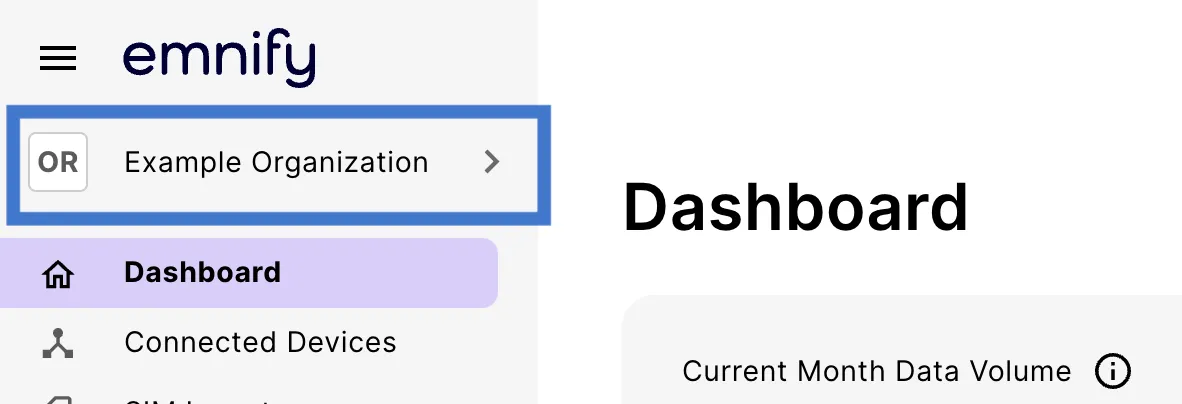
Log in to your emnify account. You should see your Workspace name at the top of the primary sidebar.
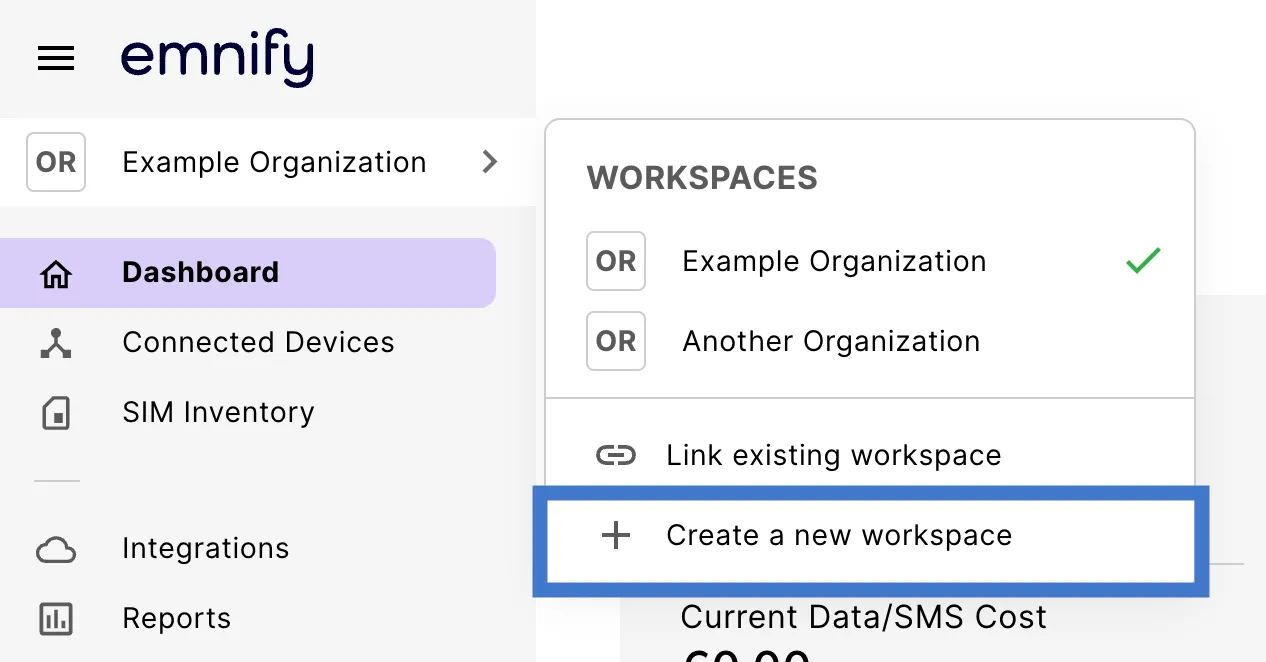
Organizations can only submit one Workspace request at a time. If you need more than one Workspace, include those details in the body of your request.
If you see the Request Sent modal, your request has been submitted successfully.
From there, the emnify team processes your request and contacts you to sort out the requirements. Then, the new Workspace is created and set up for you.
The process may take time, as each new Workspace requires a new contract. It usually takes 2-7 days for your new Workspace to be ready.