

Set up and activate a satellite SIM for evaluation testing
Create a service policy for combined network access
The service policy should permit a device to access satellite non-terrestrial networks (NTN) and cellular networks. If required, you can also set up a data usage limit for satellite services.
Navigate to Device Policies.
Changes save automatically.
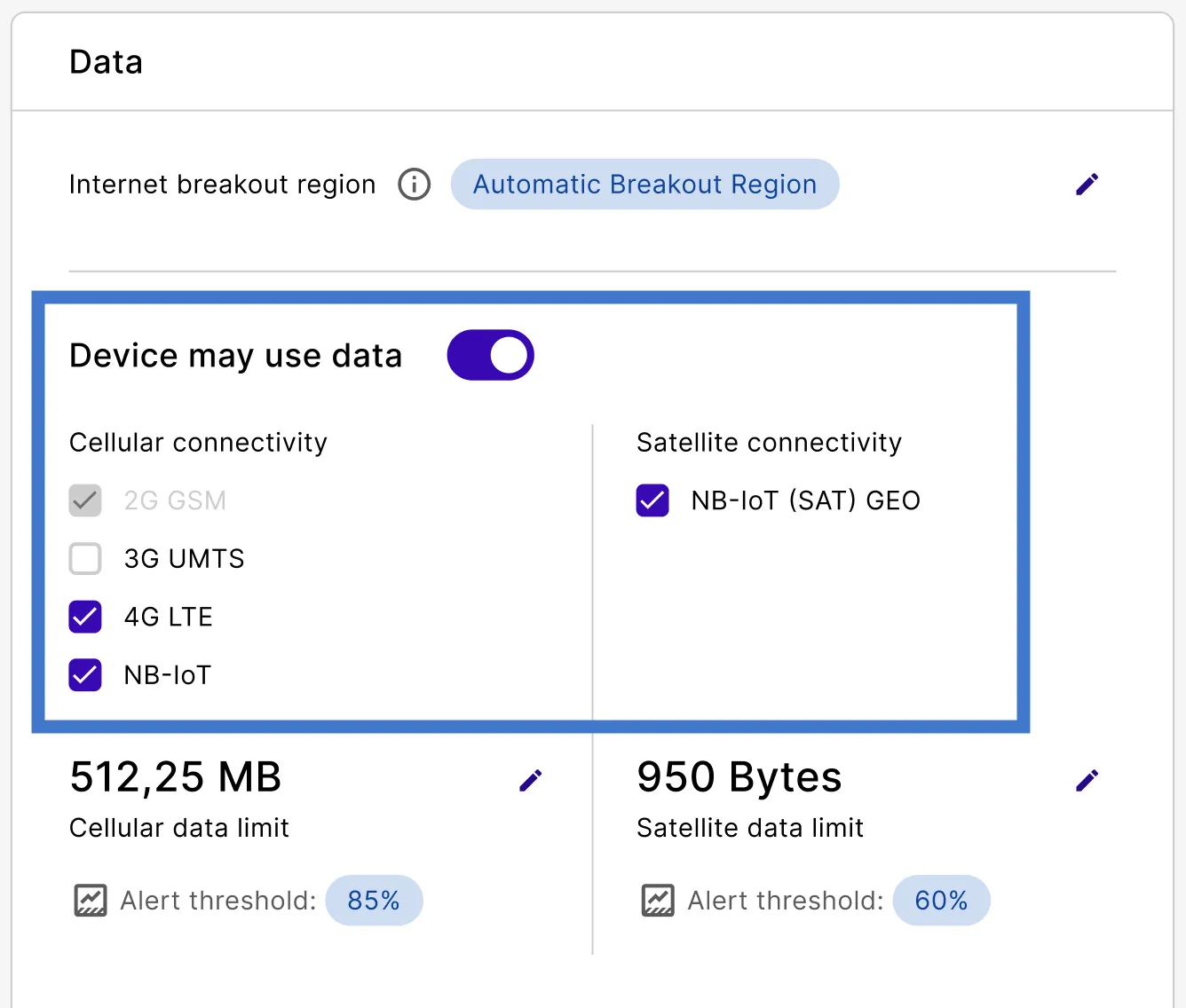
Currently, satellite connectivity is always permitted when devices can use data. emnify is working on a feature that allows you to permit or block satellite data usage for your devices within the service policy.
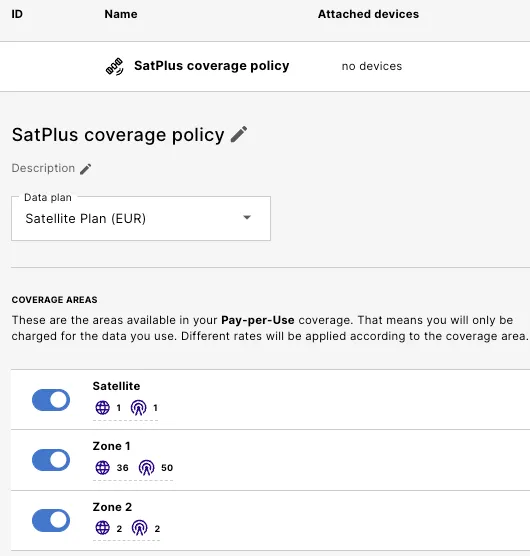
Create a coverage policy that allows cellular and satellite connections
Stay on Device Policies and find the Coverage Policies.
Changes save automatically.
Create a device and activate it with the SIM
Go to Connected Devices.
Under Assign SIM (optional), select the satellite SIM you want to use.
Use the Connectivity status filter to find the SIMs compatible with satellite services.
Verify that the Status is Enabled.