

QR code
QR code activation is a widely supported method for installing an eSIM on your device. After retrieving your QR code, you can activate the eSIM by scanning it directly through your device settings.
This guide applies to both Consumer eSIM and Advanced eSIM profiles.
Step 1: Check device compatibility
Step 2: Order your eSIM profile
Order your eSIM profiles in the SIM Shop using the regular ordering of SIMs. Select the eSIM profile product and choose how many profiles you need.
emnify creates a device for each eSIM profile you order and assigns the profile to it. This happens for every eSIM profile order, whether the profile is provisioned on a Consumer (SGP.22) or Advanced (SGP.32) eUICC, and whichever installation method you choose.
Your eSIM profiles become available once the order status changes to Delivered.
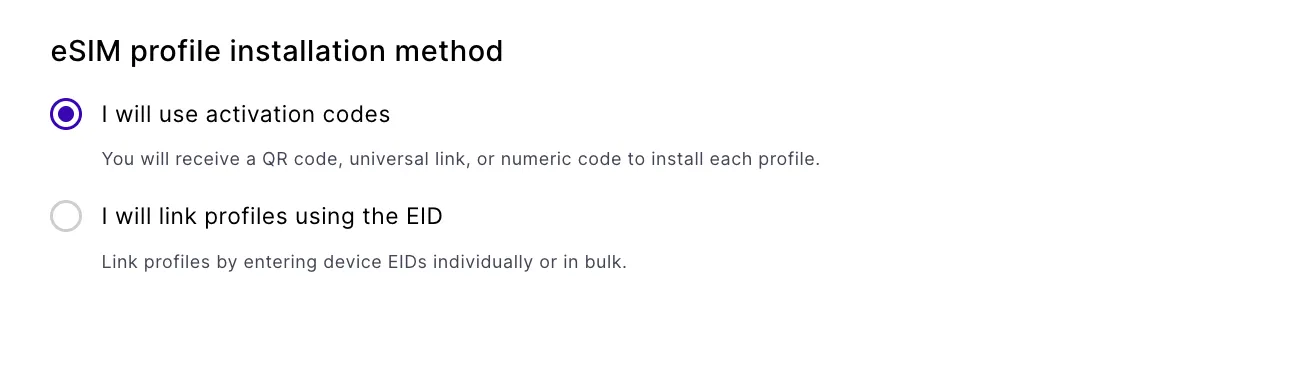
At checkout, choose an eSIM profile installation method. This choice determines how you get each profile onto a device, and what the order download contains.
- I will use activation codes: you receive a QR code, universal link, or numeric code to install each profile.
- I will link profiles using the EID: you link profiles by entering device EIDs individually or in bulk.
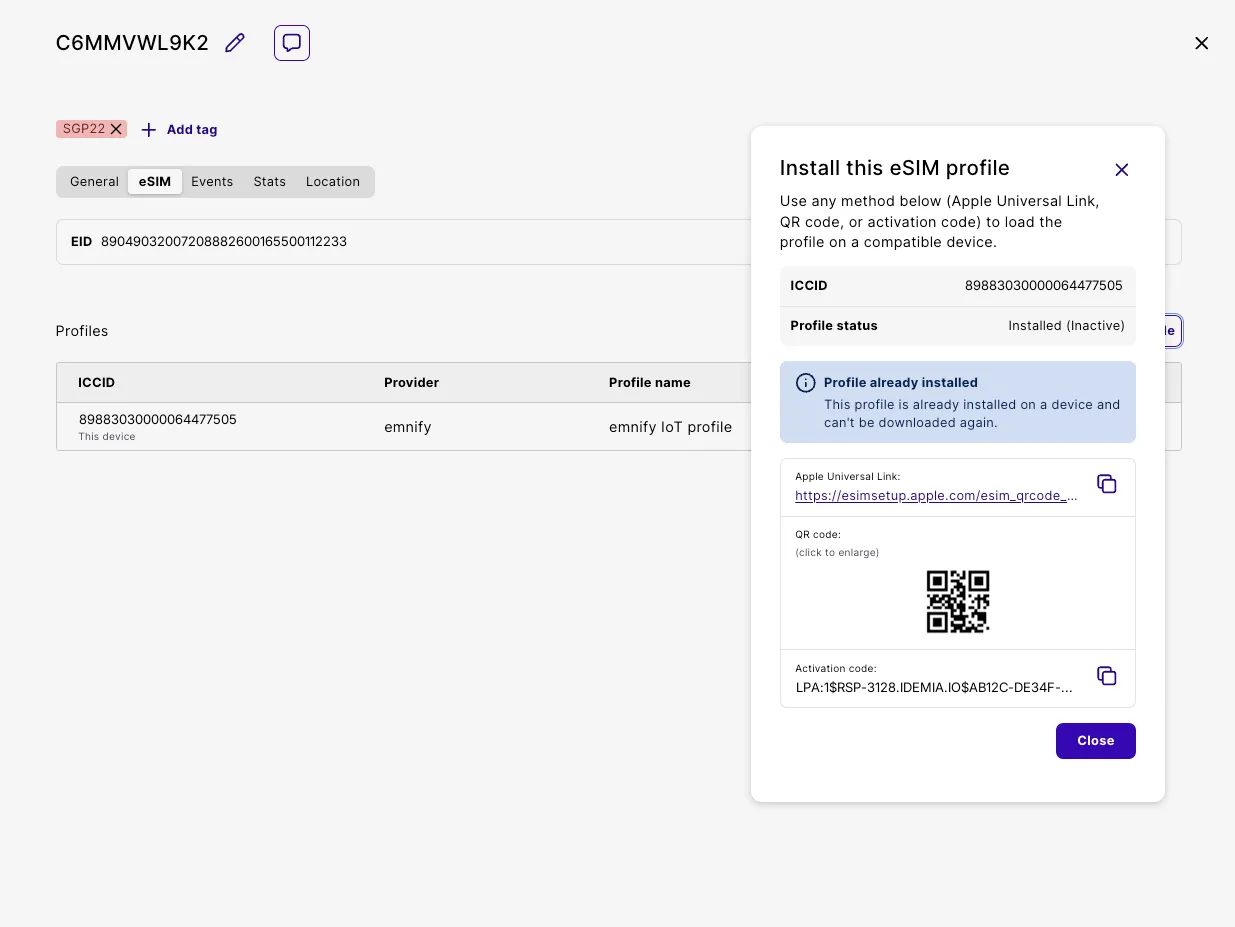
The order download follows this choice. With activation codes, the CSV contains the ICCID, activation code, and Apple Universal Link for each profile. With EID linking, the CSV contains the ICCID only. QR code images are never included in an order download. Retrieve them per device from the eSIM tab in Connected Devices.
For this guide, select I will use activation codes.
Step 3: Retrieve your QR code
In Connected Devices, find and click the device.
Step 4: Activate your eSIM
Scan the QR code with your device’s camera.
iPhone (iOS 13 or later)
Samsung (Android 10 or later)
Step 5: Configure the APN
After activation, the Access Point Name (APN) must be set to em.
For configuration instructions by device type, see Configure the APN.
Once the APN is set, the device establishes data connection. You can verify by browsing the internet or streaming videos.