Skip to navigation
WorkspacesUpgrade your Trial plan

Upgrade your Trial plan

Once you’ve ordered your free Trial SIMs, your account starts with an issued prepaid credit for testing emnify’s services. After this credit is exhausted or the 60-day trial expires, you can only use emnify services if you upgrade your data plan and package.

Upgrade data plan

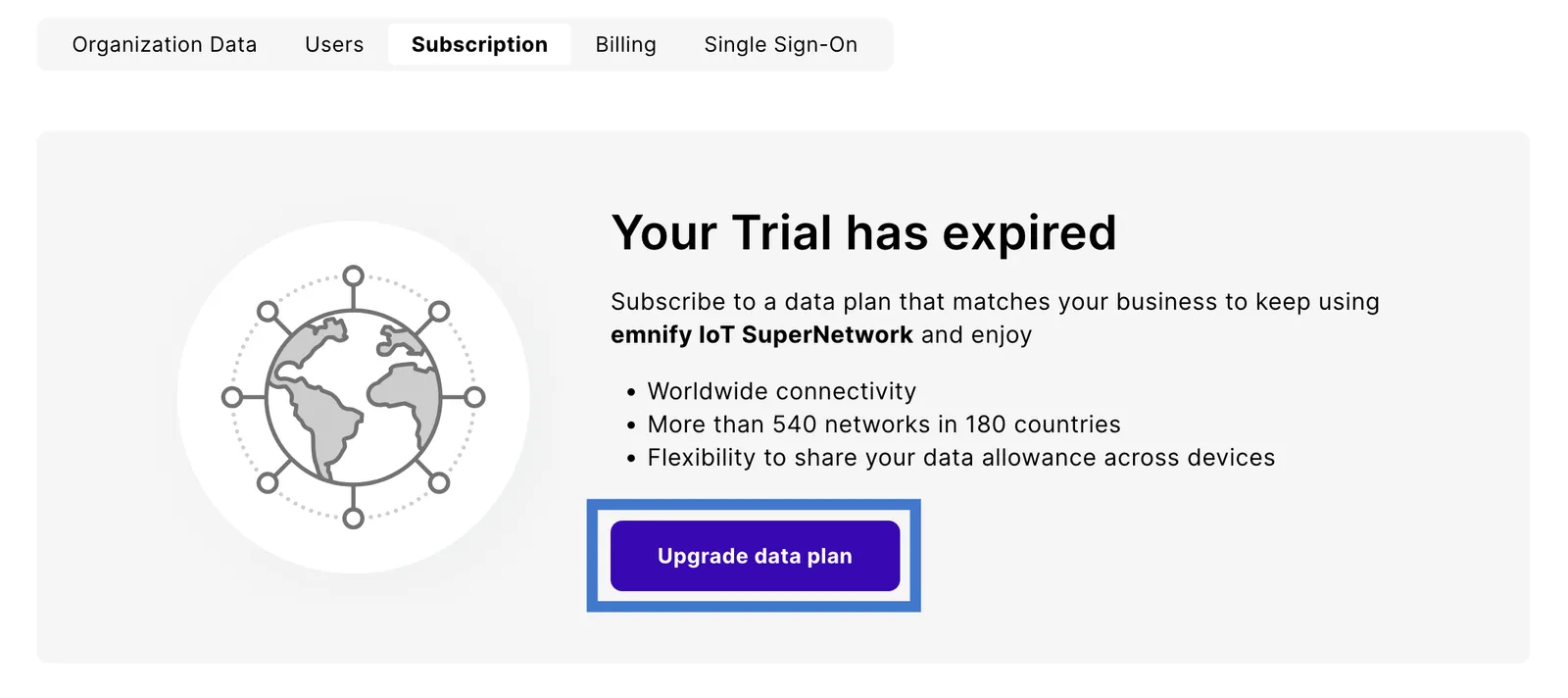
The following steps assume that your Trial plan is expired.
2

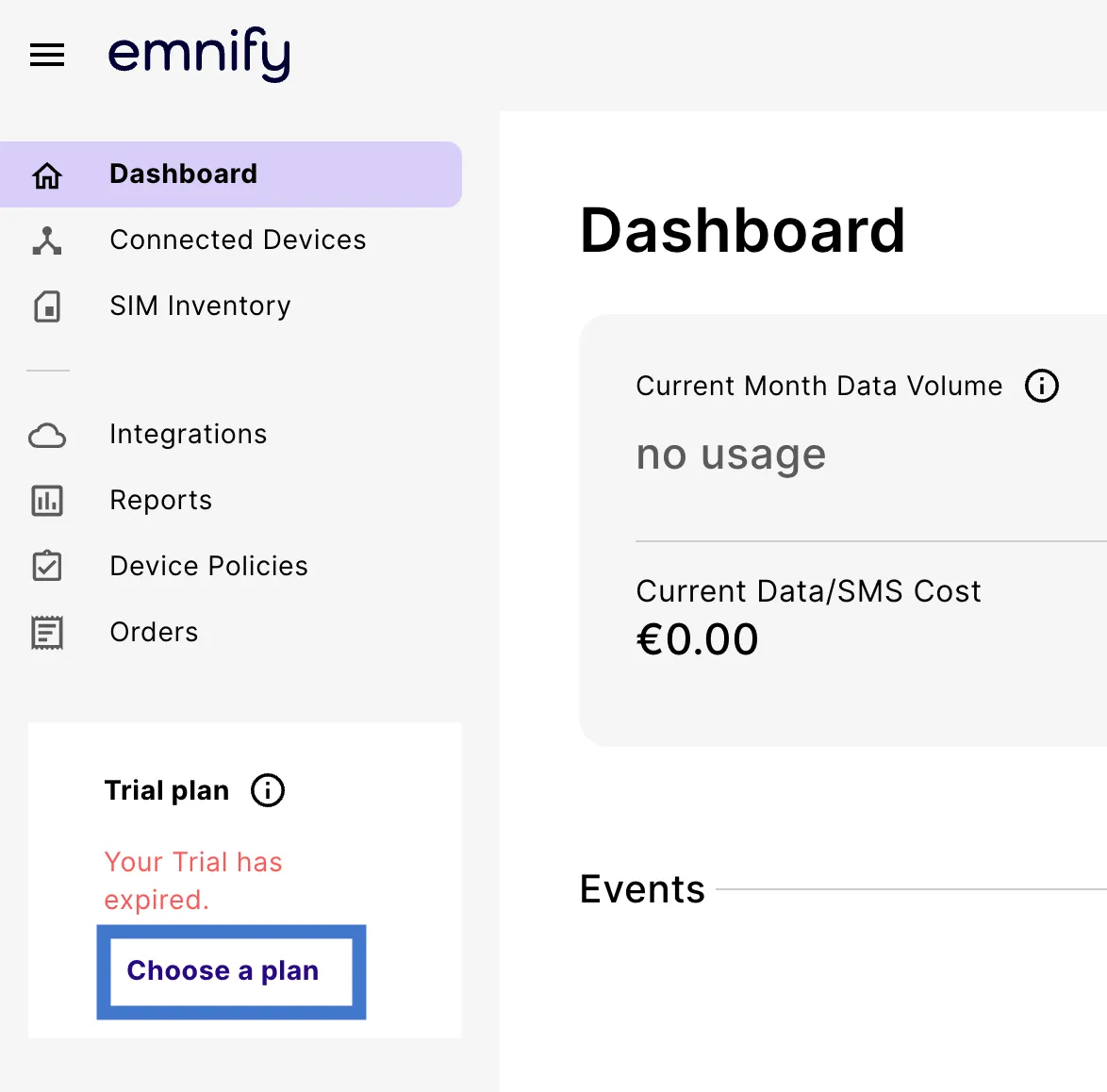
Click Choose a plan on the sidebar or navigate directly to your organization’s Subscription page.

3

Click Upgrade data plan to begin the upgrade flow.

4

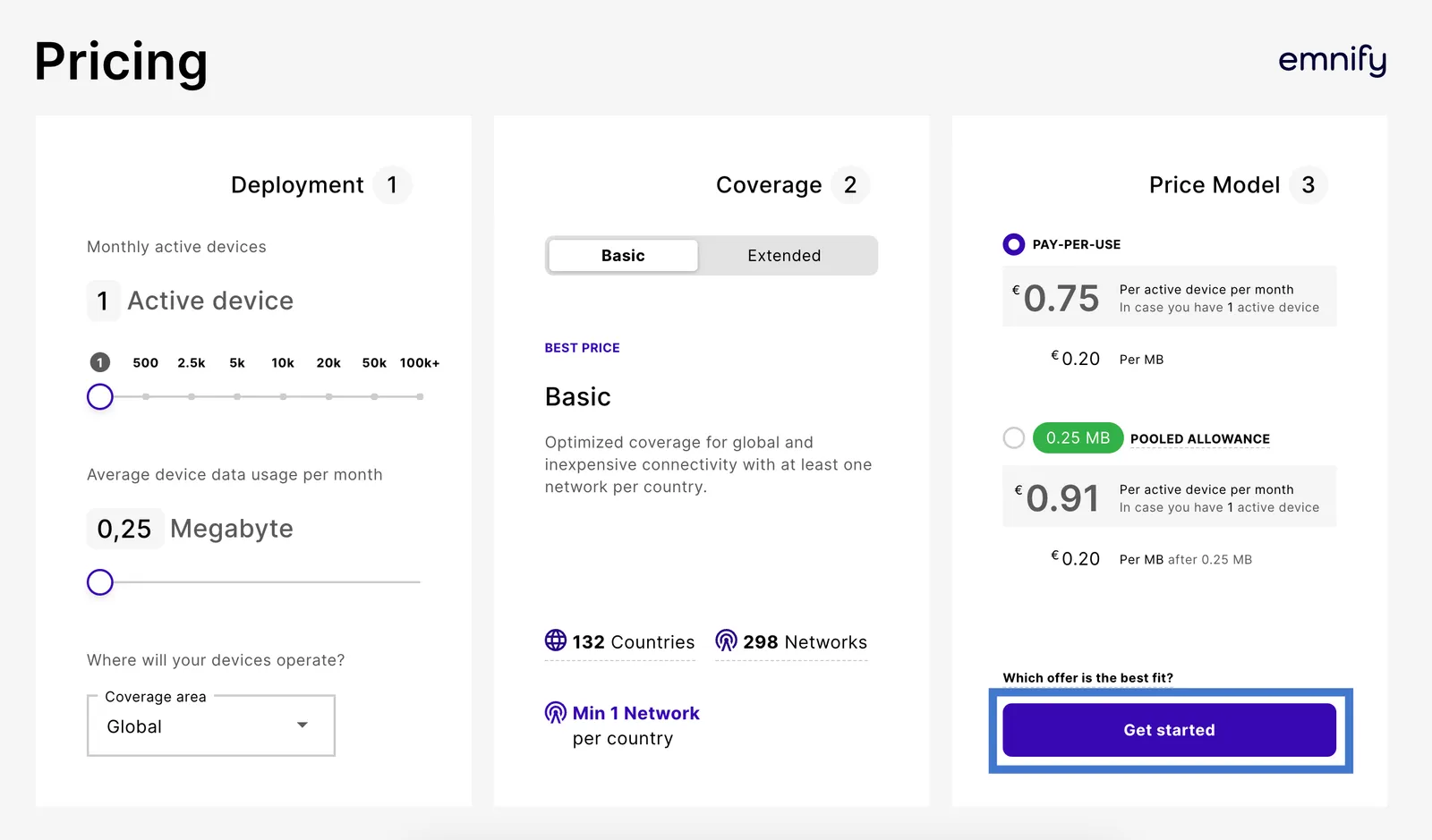
In Pricing, select the configuration that suits your needs, then click Get started.

Pricing page with Deployment, Coverage, and Price Model columns and a Get started button

5

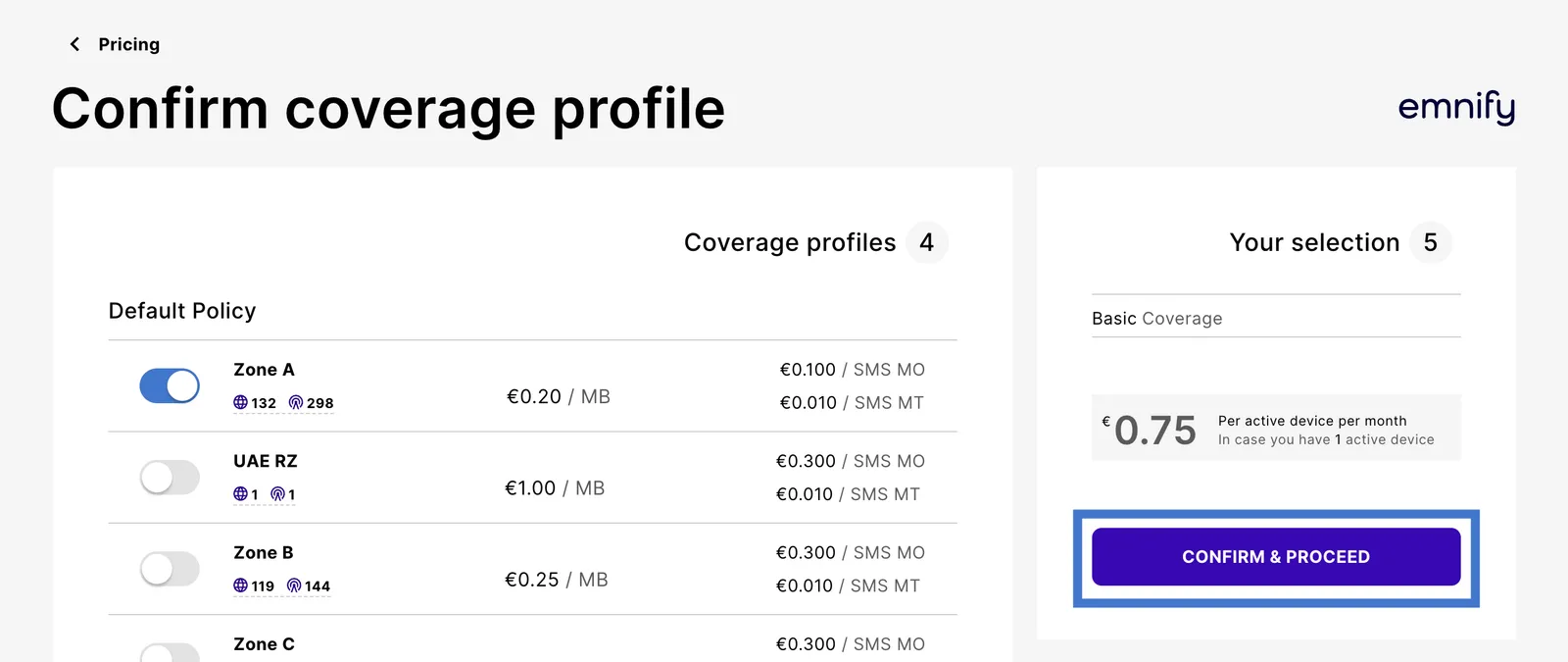
In Confirm coverage profile, choose your desired coverage profiles, then click Confirm & proceed.

Confirm coverage profile page listing coverage zones with switches next to the Your selection summary

6

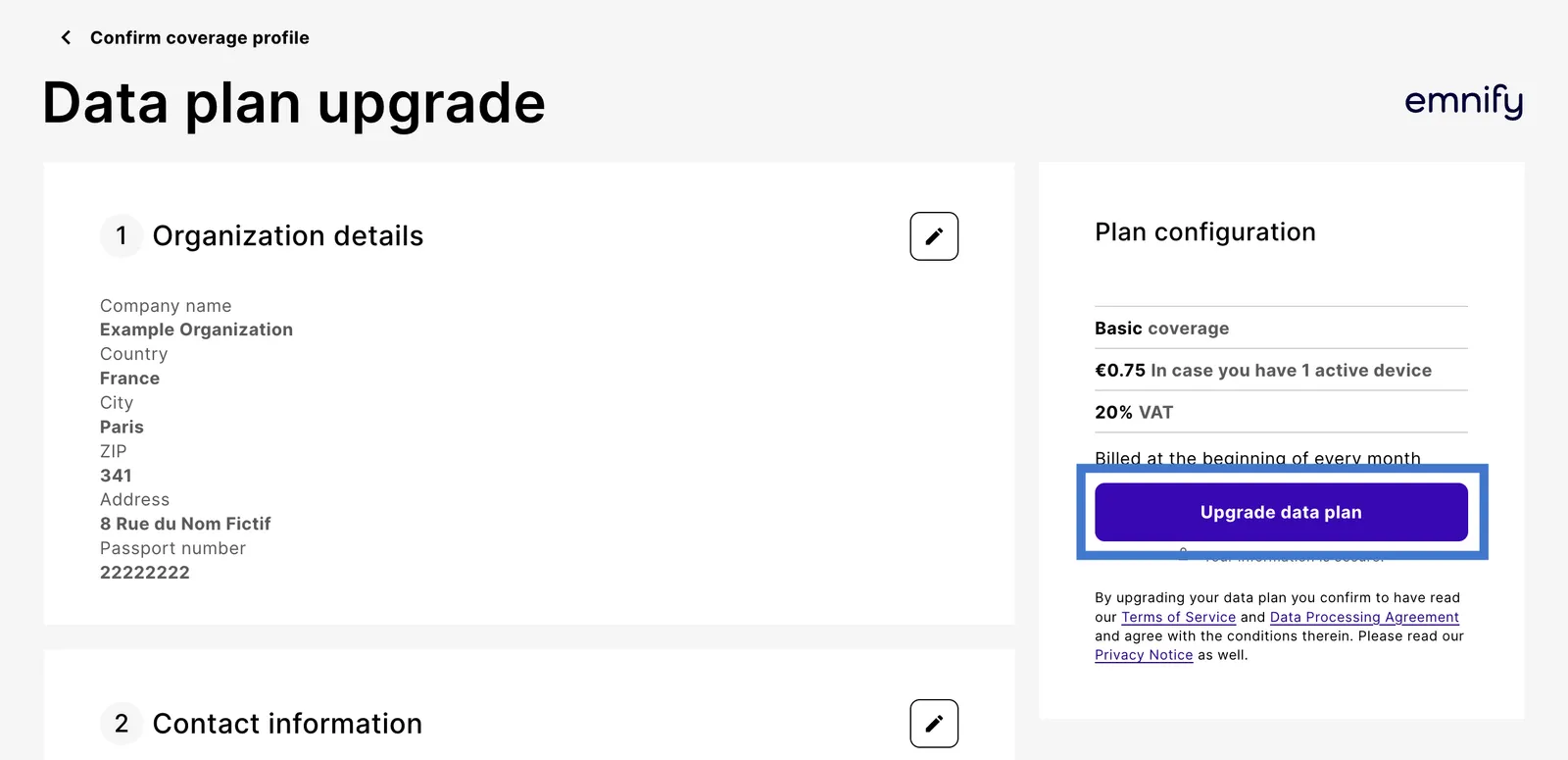
Enter your organization details, contact information, and payment method.

7

Finally, verify your Plan configuration and click Upgrade data plan.

Data plan upgrade page with organization details next to the Plan configuration summary

Once your Trial plan is upgraded, your emnify subscription begins, and you’ll be automatically billed for your active SIM cards every month.

Choose a different package

You can choose a different package at any time. To do this, follow these steps:

2

Click Choose a plan on the sidebar or navigate directly to your organization’s Subscription page.

3

In the Our packages section, select the package that best fits your organization’s needs, then click either Upgrade or Contact Sales.